Tag: Goodnotes

  • Undated Digital Journal PDF for Goodnotes — September 2026 Flow Membership [no.5133]

    Undated Digital Journal PDF for Goodnotes — September 2026 Flow Membership [no.5133]

    Journaling prompts can help you decide what to write. But you still need somewhere to turn those prompts into actual records.

    Flow Membership combines both.

    Each month, Patreon members receive 15 journaling prompts as TXT and JPG files, plus a Monthly Journal Edition PDF with space to write, reflect, add photographs, and return to later.

    For September 2026, the monthly keyword is Coincidence.

    The journal is undated, so you do not have to keep up with a daily schedule or fill missed days. You can use it in Goodnotes, print it if you prefer paper, pause when you need to, and return when there is something you want to record.

    September 2026 Flow Membership at a Glance

    ItemDetails
    Monthly keywordCoincidence
    Journaling prompts15
    Prompt categories5
    TXTAll 15 prompts in one file
    JPG15 individual journaling cards
    PDFMonthly Journal Edition
    Journal formatUndated
    LanguagesKR · EN · JP
    Use withGoodnotes · PDF annotation apps · Print
    Required orderNone
    PlatformPatreon

    From a Journaling Prompt to a Place to Write

    The main difference with Flow Membership is the Monthly Journal Edition.

    The TXT file lets you see all 15 prompts at once.

    The JPG cards let you keep individual prompts close on your phone or inside a digital journal.

    The PDF gives those same prompts somewhere to become actual entries.

    You can use all three formats together or choose whichever one fits the way you want to journal that day.

    There is no required sequence.

    You might begin with a card, continue in the PDF, or simply open the journal and choose a prompt from there.

    The purpose is not to create another system you have to keep up with. It is to reduce the distance between finding something to write about and actually recording it.

    Inside the Monthly Journal Edition

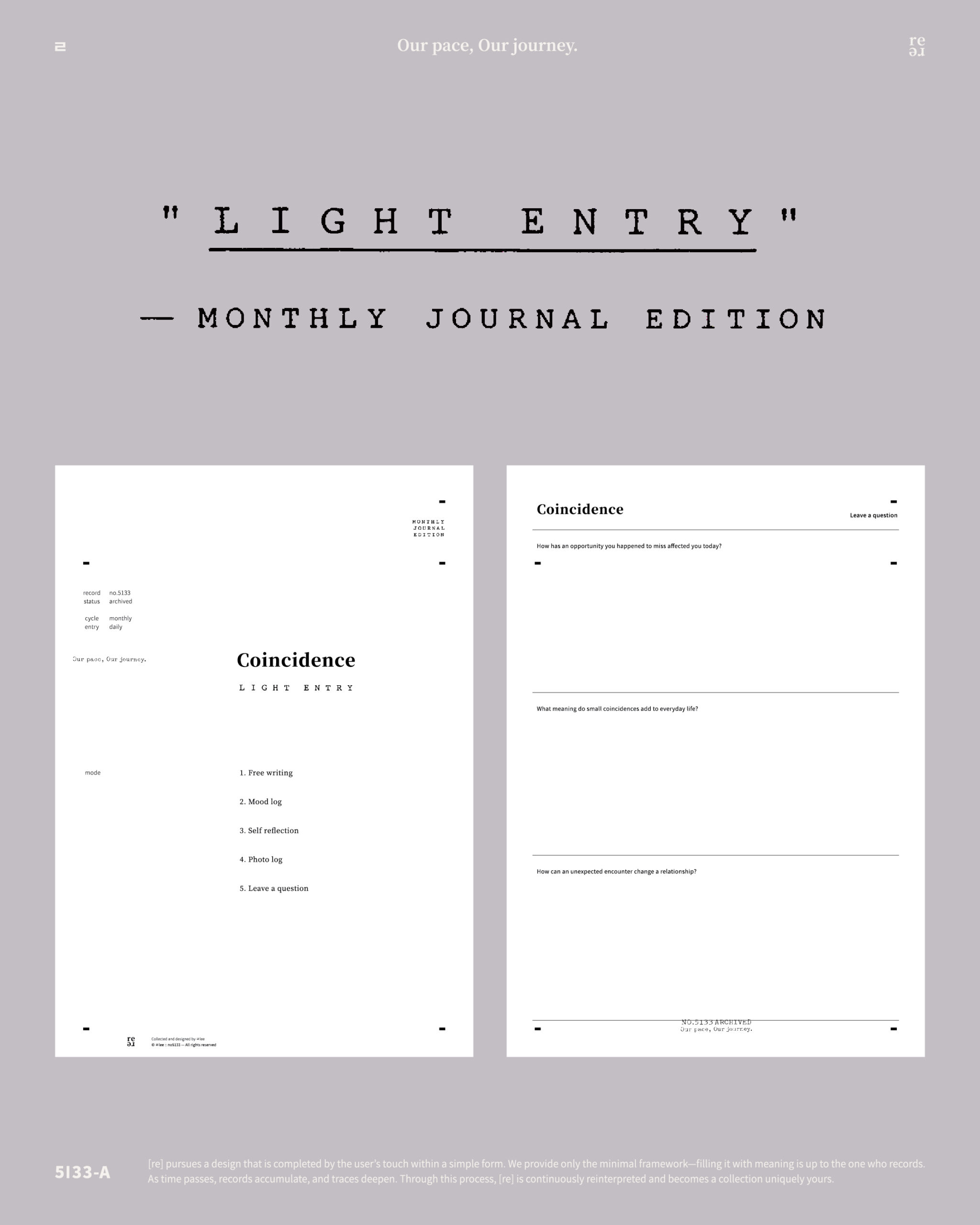
    The Monthly Journal Edition is an undated journal PDF built around the same 15 prompts included in the monthly TXT and JPG files.
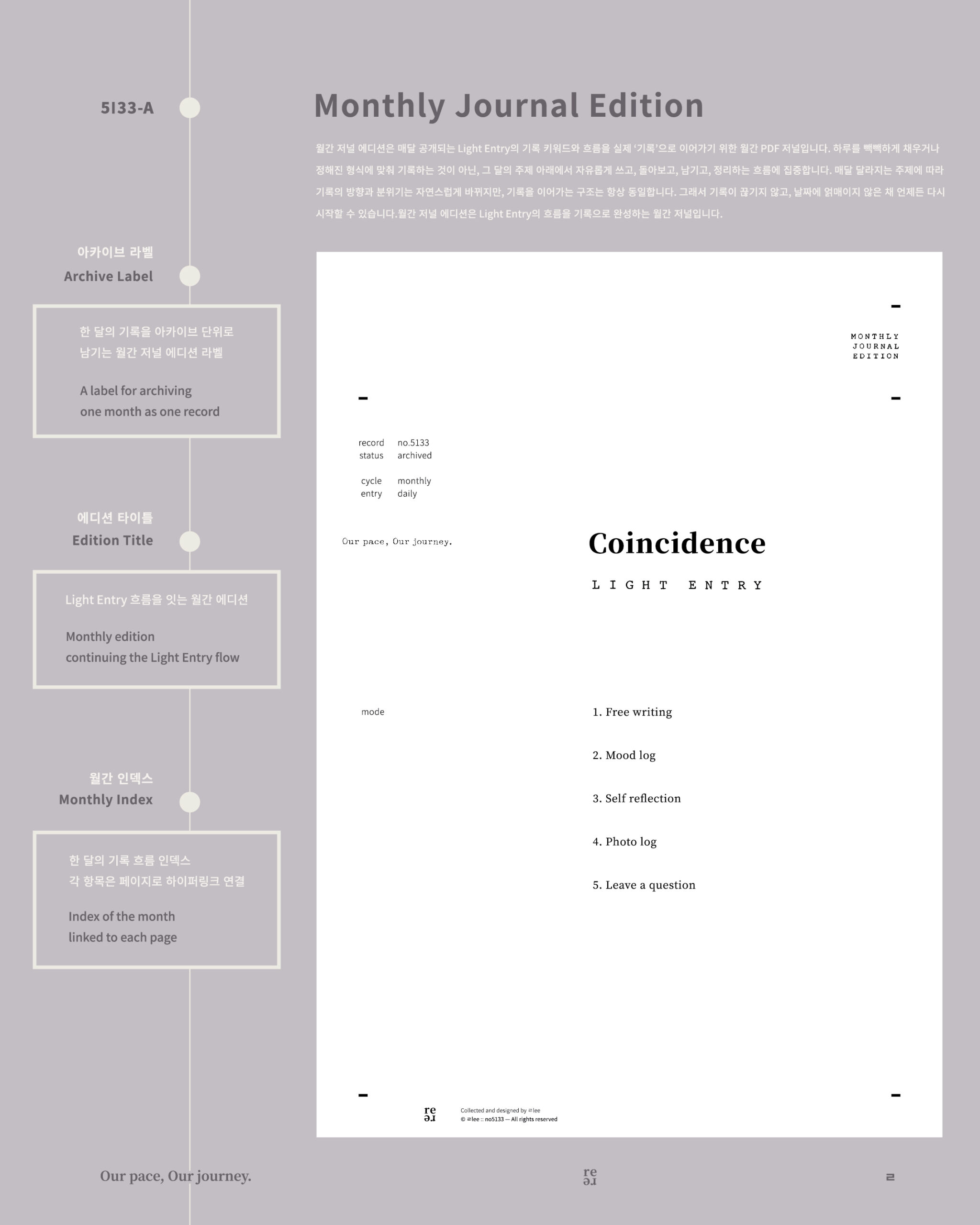
    Monthly Journal Edition cover for the Coincidence theme with labels explaining the archive label, edition title, and monthly index.

    It is not a monthly planner for managing appointments, tasks, or schedules.

    Instead, it gives you room to record what a prompt brings up.
    That might be:

    • A short journal entry
    • A mood you want to understand
    • A photograph and the story behind it
    • A thought you want to explore further
    • A question you are not ready to answer yet

    You do not need to fill an entire page.

    Some entries may be a paragraph. Others may be a sentence, a photograph, or a few words.

    Because the pages are undated, missing several days does not leave you with dates to catch up on.

    You simply return when there is something else you want to record.

    September 2026 Theme: Coincidence

    September begins with Coincidence.

    The theme looks at moments that were not part of the plan but stayed with you anyway.

    A thought that appeared unexpectedly.

    A scene you almost walked past.

    A sentence you happened to hear or read.

    An unplanned meeting, pause, or change in the day.

    Across the 15 prompts, Coincidence is explored through five different journaling directions:

    • Free Writing
    • Mood Log
    • Self-Reflection
    • Photo Log
    • Leave a Question

    You can choose the direction that fits the moment instead of trying to journal in the same way every time.

    How to Use the Journal in Goodnotes

    Import the Monthly Journal Edition PDF into Goodnotes and begin with whichever prompt you want.
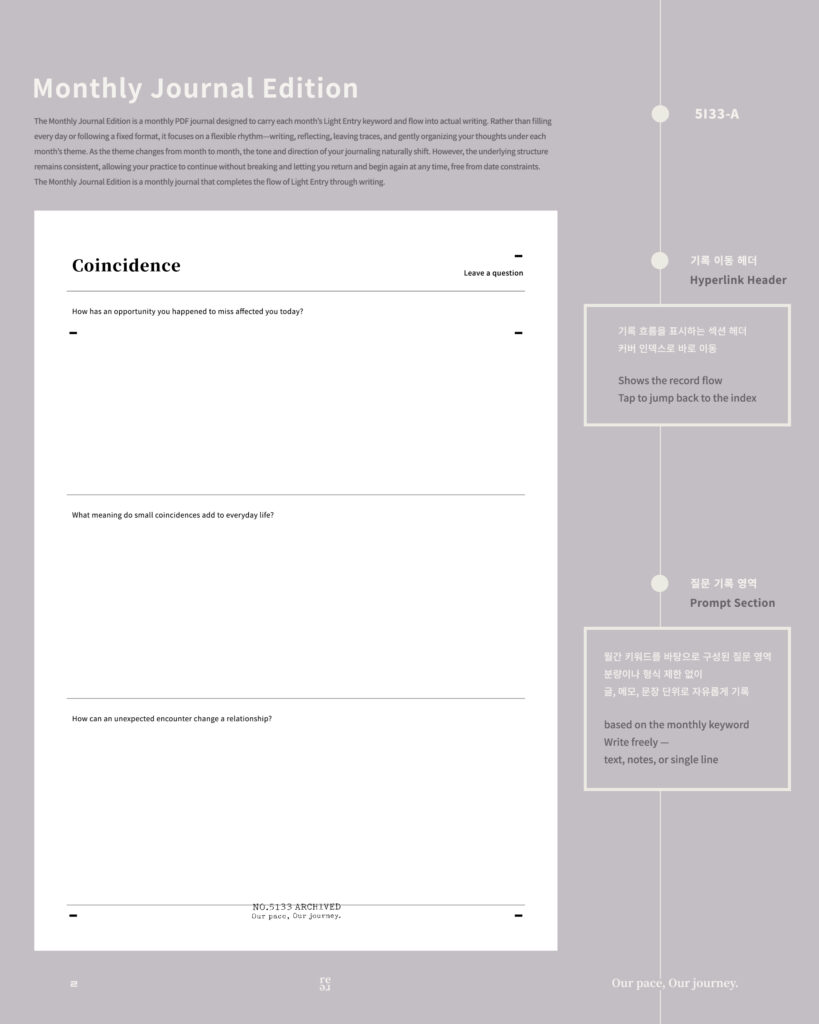
    Coincidence journal prompt page with three questions, open writing space, and labels explaining the hyperlink header and prompt section.

    You do not need to start with the first prompt or work through all 15 in order.

    For example:

    • Mood Log when you want to record how a moment felt
    • Free Writing when you want to follow a thought without much structure
    • Photo Log when an image is the main record
    • Self-Reflection when you want to look more closely at what something meant
    • Leave a Question when you want to keep a question rather than reach an answer immediately

    You can also import one of the JPG journaling cards into another Goodnotes notebook and use the prompt there.

    If you prefer handwriting on paper, the PDF can also be printed.
    The format changes, but the prompts remain the same.

    An Undated Journal You Can Leave and Return To

    A dated journal can make a break in journaling feel like something you need to catch up on.

    The Monthly Journal Edition does not work that way.

    There is no requirement to write every day, complete all 15 prompts during September, or fill every available space.

    The September theme belongs to the month it was created for, but the journal itself does not expire when September ends.

    You can return to the prompts later and continue wherever you stopped.

    That flexibility lets journaling fit around your life instead of asking your life to fit around a journal.

    Flow Membership or Light Membership?

    Both memberships begin with the same monthly keyword and the same set of 15 prompts.

    The difference is whether you also want a dedicated space for turning those prompts into longer records.

    Light MembershipFlow Membership
    Monthly keyword ✓✓
    15 journaling prompts ✓✓
    TXT✓✓
    15 JPG journaling cards✓✓
    Monthly Journal Edition PDF—✓

    If you already have a journal you like and mainly want new prompts each month, Light Membership may be all you need.

    Explore September 2026 Light Membership

    If you want both the prompts and a dedicated undated PDF where you can continue writing, Flow Membership includes both.

    Join September 2026 Flow Membership

    A journal does not have to move forward every day to keep going.

    Start with one September prompt.

    Leave a sentence, a photograph, a thought, or a question.

    Pause when you need to.

    Return when there is something else you want to keep.


    September 2026 includes:

    • 15 journaling prompts
    • Monthly theme TXT
    • 15 JPG journaling cards
    • Monthly Journal Edition PDF
    • KR · EN · JP

    For personal use only.

    Commercial use, resale, and redistribution are not permitted.

    A place to pause.

    A place to return.

    A journal that can continue with you.

    𝑶𝒖𝒓 𝒑𝒂𝒄𝒆, 𝑶𝒖𝒓 𝒋𝒐𝒖𝒓𝒏𝒆𝒚.
  • Monthly Photo Journal for September 2026 — BOM Grid in Flowhere [no.5133]

    Monthly Photo Journal for September 2026 — BOM Grid in Flowhere [no.5133]

    Looking for a way to record a month with photos instead of filling a planner with long entries?

    BOM Grid in Flowhere is a digital monthly photo journal that lets you place photos directly into the dated spaces of a monthly calendar and see the month as one visual grid.

    You can record online, move between months and years, save your page, and export the finished grid as PNG, JPG, or PDF for GoodNotes or your own files.

    You do not need to add a photo every day. The images you keep—and the spaces you leave open—become part of what that month looked like.

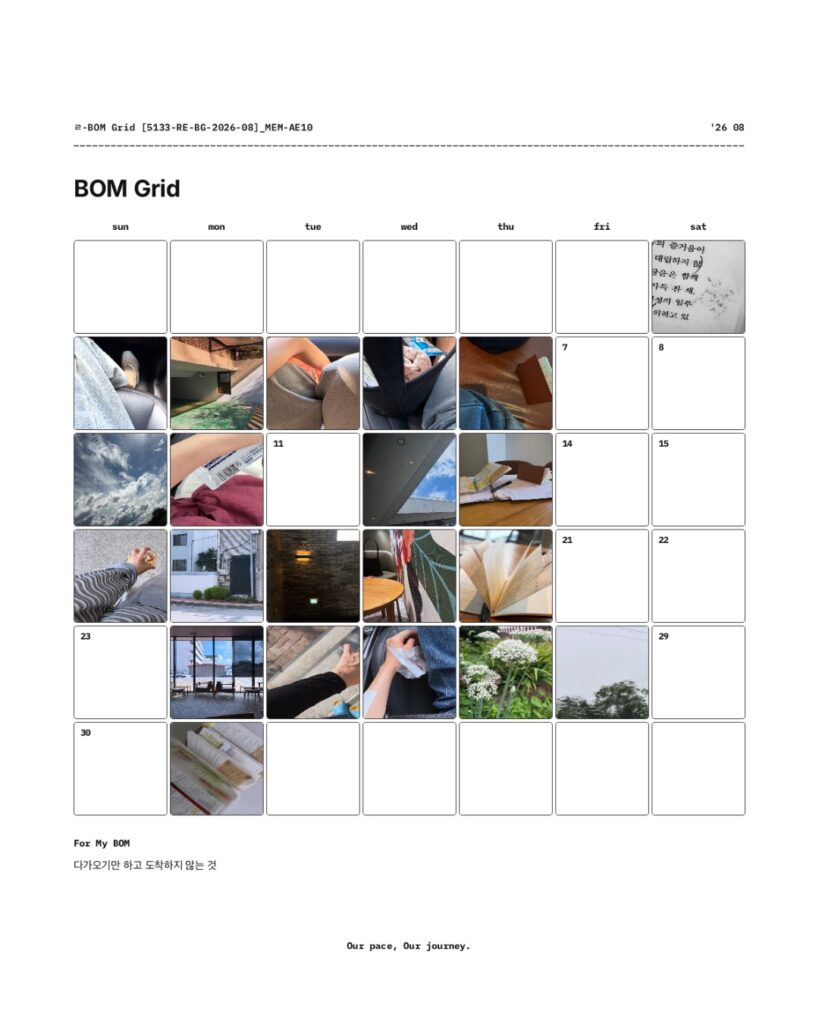
    The featured image shows my actual August 2026 BOM Grid after a month of use.

    This post looks at how the same format continues into September and how individual photos can gradually become one visual record of a month.

    September 2026 BOM Grid at a Glance

    ItemDetails
    FormatDigital monthly photo journal
    Current monthSeptember 2026
    Main recordPhotos placed by date
    One-line recordFor My BOM
    Move between months / yearsYes
    Save pageYes
    ExportPNG · JPG · PDF
    Transparent PNGYes
    GoodNotes useExported JPG / PDF can be kept in GoodNotes
    Blank layoutDownload available
    ArchivePhoto records can continue into Flowhere Archive

    What Is BOM Grid?

    BOM Grid is a dated monthly page for recording a month through photographs.

    Each date can hold an image you want to remember from that day—a sky, a familiar place, a book, a drink, a person, a patch of light, or anything else that caught your attention.

    You do not have to fill every date.

    Unlike a photo album, where images are usually viewed one at a time, BOM Grid keeps the month together on a single page.

    As photos accumulate across the calendar, you can begin to see the month as a whole rather than as a series of separate images.

    August 2026 BOM Grid in Flowhere with photos arranged by date, including sky, books, indoor scenes, streets, and flowers.

    One Photo at a Time, One Month at a Glance

    A traditional monthly planner usually centers on schedules, tasks, and written notes.

    BOM Grid starts with photographs instead.

    One day might hold a photograph of the sky.

    Another might show a place you returned to, something you were reading, or a small moment you wanted to keep.

    Some dates may remain empty.

    That does not make the record incomplete.

    When the month is viewed as a grid, the photographs and the open spaces together show the rhythm of what you chose to notice and keep.

    For anyone who enjoys journaling but does not always want to write a full entry, one image can be enough to mark a day.

    For My BOM — One Line Beneath the Month

    Below the photo grid is For My BOM, a small space for one line of text.

    You can use it for a sentence you want to remember, a word that represents the month, or a short thought that belongs with the photographs above it.

    The photographs hold the individual scenes.

    For My BOM gives you one place to leave a line for the month as a whole.

    It does not need to summarize everything.

    Sometimes one sentence is enough.

    Can I Use BOM Grid With GoodNotes?

    Yes.

    BOM Grid is recorded in Flowhere, but the finished page can also be taken outside the web app.

    You can export your record as:

    • PNG
    • JPG
    • PDF

    A PDF can be kept in GoodNotes as part of a digital journal, while a JPG can be saved with your other photo records.

    This means you can use Flowhere to build the monthly grid and still keep the finished page in the digital notebook or file system you already use.

    Use a Transparent PNG on Your Own Background

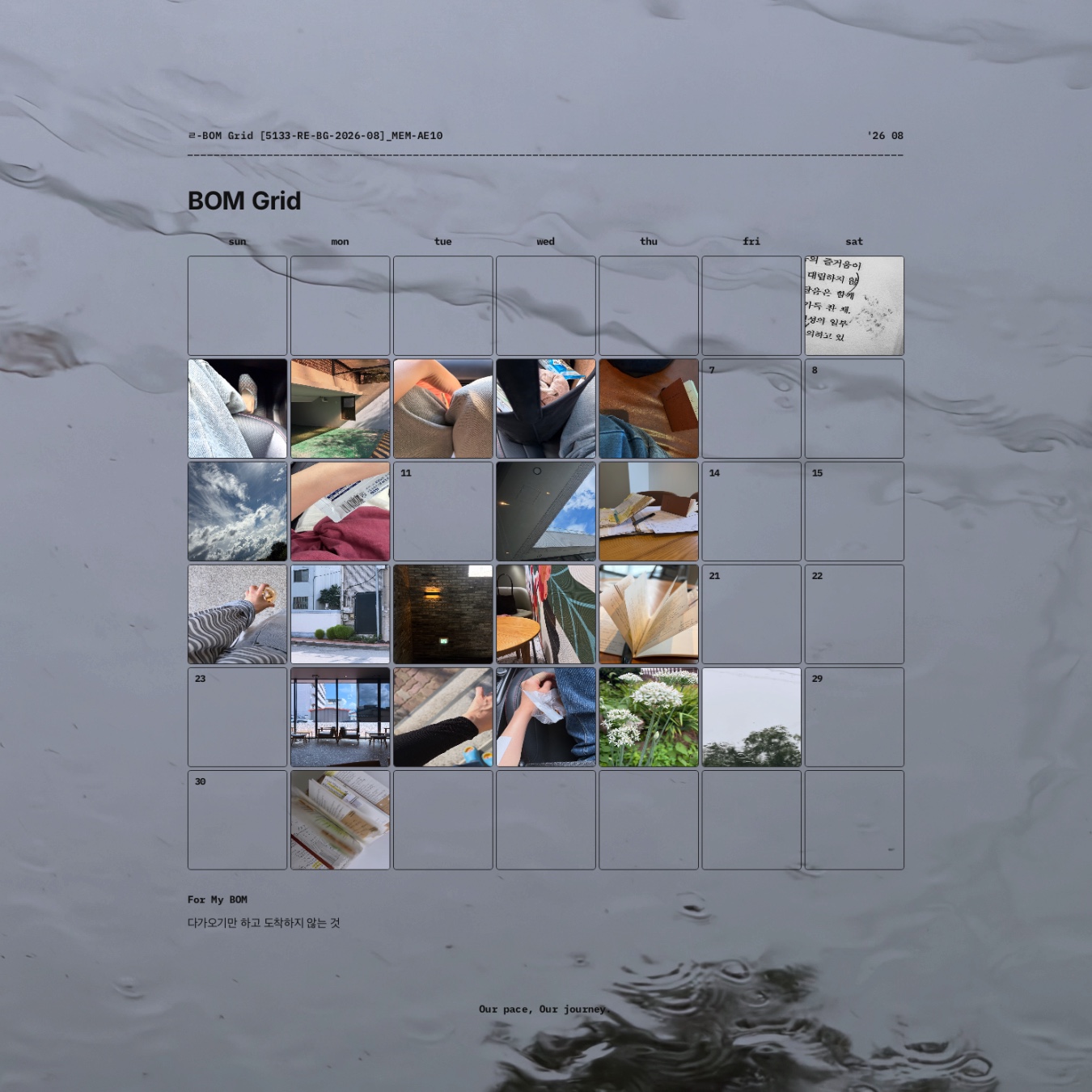
    BOM Grid can also be exported as a transparent PNG.

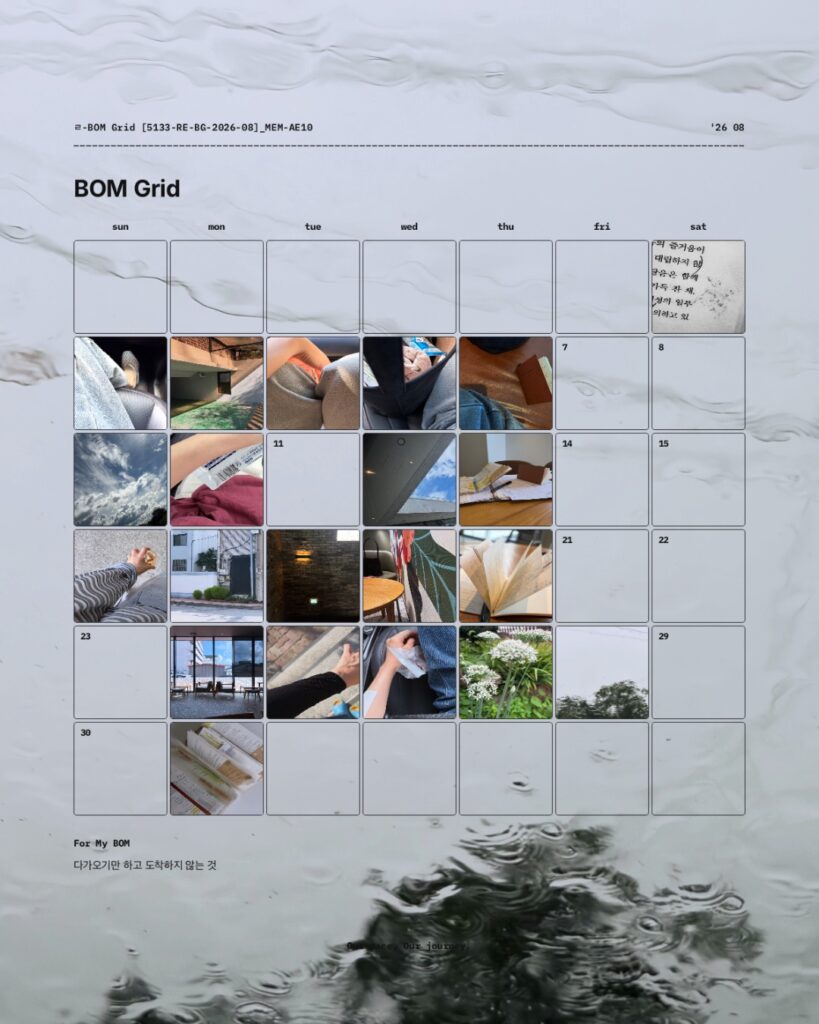
    Because the background is removed, you can place the completed monthly grid over your own photograph, texture, illustration, or other visual background.

    The same monthly record can therefore be kept as a clean grid or recomposed as a more personal visual page.

    August 2026 BOM Grid placed over a water-textured background to show a customized monthly photo journal layout.

    What Happens to the Photos After the Month Ends?

    A BOM Grid does not have to become a finished image that you never look at again.

    Records saved in Flowhere can continue into the Archive.

    Over time, an ordinary photograph can become meaningful for a different reason.

    A place you passed every day may later bring back a particular period of your life.

    A photograph that felt unimportant at the time may return with the atmosphere of a season.

    And as monthly photo records accumulate, you can return to the scenes you chose to keep rather than searching through an entire camera roll.

    The photograph stays the same.

    What it brings back can change with time.

    A Real BOM Grid From August 2026

    The August 2026 record shown in the featured image lets you see what BOM Grid looks like after a month of actual use rather than as an empty template.

    The point is not to create a perfectly filled calendar.

    It is to keep the photographs you chose connected to their dates and to one another.

    Viewed together, those individual photographs become one visual record of August.

    September does not need to look the same.

    A different month can hold different scenes, a different number of photographs, and a different rhythm.

    Prefer a Writing-Based Monthly Journal?

    If you want to record schedules, notes, project traces, and reflections rather than make photographs the main record, Reflection Monthly offers a different way to keep the month in Flowhere.

    → Explore September 2026 Reflection Monthly in Flowhere

    Start Your September 2026 BOM Grid

    You do not need to wait until you have a complete month of photographs.

    Start with one scene from September.

    Add another when something is worth keeping.

    Let the grid take shape as the month continues.

    One month of scenes. One grid to return to.

    𝑶𝒖𝒓 𝒑𝒂𝒄𝒆, 𝑶𝒖𝒓 𝒋𝒐𝒖𝒓𝒏𝒆𝒚.

  • Monthly Journaling Membership — September 2026 Light Entry [no.5133]

    Monthly Journaling Membership — September 2026 Light Entry [no.5133]

    Looking for a way to keep journaling without starting another planner or wondering what to write each time?

    Light Membership is a monthly journaling membership on Patreon built around one new keyword each month.

    For September 2026, that keyword is Coincidence.

    Each month includes 15 journaling prompts in two formats: a TXT file for viewing the full set at once and 15 JPG journaling cards you can keep on your phone, add to GoodNotes or Notion, or use alongside a paper journal.

    The idea is simple: keep the journal you already use and add a new place to begin.

    September 2026 Light Membership at a Glance

    ItemDetails
    Monthly keywordCoincidence
    Journaling prompts15
    Categories5
    TXTAll 15 prompts in one file
    JPG15 individual journaling cards
    LanguagesKR · EN · JP
    Use withGoodNotes · Notion · Digital journals · Paper notebooks
    Required orderNone
    PDF journalNot included in Light Membership
    PlatformPatreon

    A Monthly Prompt System for the Journal You Already Use

    Light Membership is not designed to replace your current journal.

    It adds the “what should I record?” part to whatever space you already use.

    If you keep a journal in GoodNotes, you can choose a prompt and write directly on one of your existing pages.

    If you prefer a paper notebook, you can take the same prompt there.

    If a photograph feels more natural than a paragraph, one of the photo prompts can become the starting point instead.

    There is no required sequence, daily challenge, or need to complete all 15 prompts within the month.

    Think of Light Membership as a set of monthly prompts you can bring into the journaling routine you already have.

    What’s Included Each Month

    Every month begins with one keyword and expands into 15 prompts across five journaling directions:

    • Free Writing
    • Mood Log
    • Self-Reflection
    • Photo Log
    • Leave a Question

    Each category includes three prompts.

    The same 15 prompts are provided in both TXT and JPG formats. The content is the same; what changes is how you use it.

    TXT — See All 15 Prompts at Once

    The TXT file keeps the monthly keyword and all 15 prompts together in one place.

    Use it when you want to scan the full set, choose a prompt quickly, or copy one into the journal you already use.

    JPG — Keep One Prompt Close

    The same prompts are also provided as 15 individual journaling cards.

    You can save them to your phone, add them to GoodNotes or Notion, or print one to keep inside a notebook.

    Instead of opening the entire prompt list, you can return to a single card whenever you want a simple place to begin.

    Both TXT and JPG are available in Korean, English, and Japanese.

    How to Use Light Membership in GoodNotes or a Paper Journal

    Light Membership does not include a GoodNotes planner or PDF journal in the Light tier.

    Instead, it works alongside the journal or notebook you already have.

    In GoodNotes, you can import a JPG journaling card onto an existing page or choose a prompt from the TXT file and write beneath it.

    In a paper notebook, simply choose a prompt and begin with a sentence, a photograph, a question, or a short reflection.

    You can also keep the cards on your phone and open one when you want to journal but do not know where to begin.

    There is no need to change your current journaling system just to use the prompts.

    September 2026 Theme: Coincidence

    September begins with Coincidence.

    A thought that appears unexpectedly.

    A sentence you happen to notice.

    A photograph of something you almost passed by.

    An unplanned pause, encounter, or opportunity.

    The September prompts use those moments as starting points for writing, mood logging, self-reflection, photo journaling, and questions.

    You do not need to turn every coincidence into a long journal entry.

    Sometimes one line, one image, or one question is enough to leave that moment as a record.

    Frequently Asked Questions

    Is Light Membership a GoodNotes template?

    No.

    Light Membership provides monthly journaling prompts as a TXT file and 15 JPG journaling cards. You can use them inside a GoodNotes journal you already have, but Light Membership itself is not a GoodNotes template or planner.

    Do I have to use all 15 prompts?

    No.

    There is no required order, daily schedule, or deadline for completing all 15 prompts. Choose whichever prompt fits what you want to record.

    Does Light Membership include a PDF journal?

    No.

    Light Membership includes TXT and JPG files. The Monthly Journal Edition PDF is provided through Flow Membership.

    Want to Try the September Prompts First?

    If you want to explore the September theme before joining the monthly membership, you can start with the September 2026 prompt set.

    → Explore 15 Free September 2026 Journaling Prompts

    Join Light Membership on Patreon

    Each month, Light Membership begins again with one new keyword and 15 new journaling prompts.

    Use the TXT file when you want to see the full set at once.

    Keep the JPG cards close when you want one prompt at a time.

    Bring either format into the journal you already use.

    One word each month. One place to begin.

    𝑶𝒖𝒓 𝒑𝒂𝒄𝒆, 𝑶𝒖𝒓 𝒋𝒐𝒖𝒓𝒏𝒆𝒚.

  • 15 Free September 2026 Journaling Prompts for Self-Reflection & Photo Journaling [no.5133-A]

    15 Free September 2026 Journaling Prompts for Self-Reflection & Photo Journaling [no.5133-A]

    Not sure what to write in your journal today?

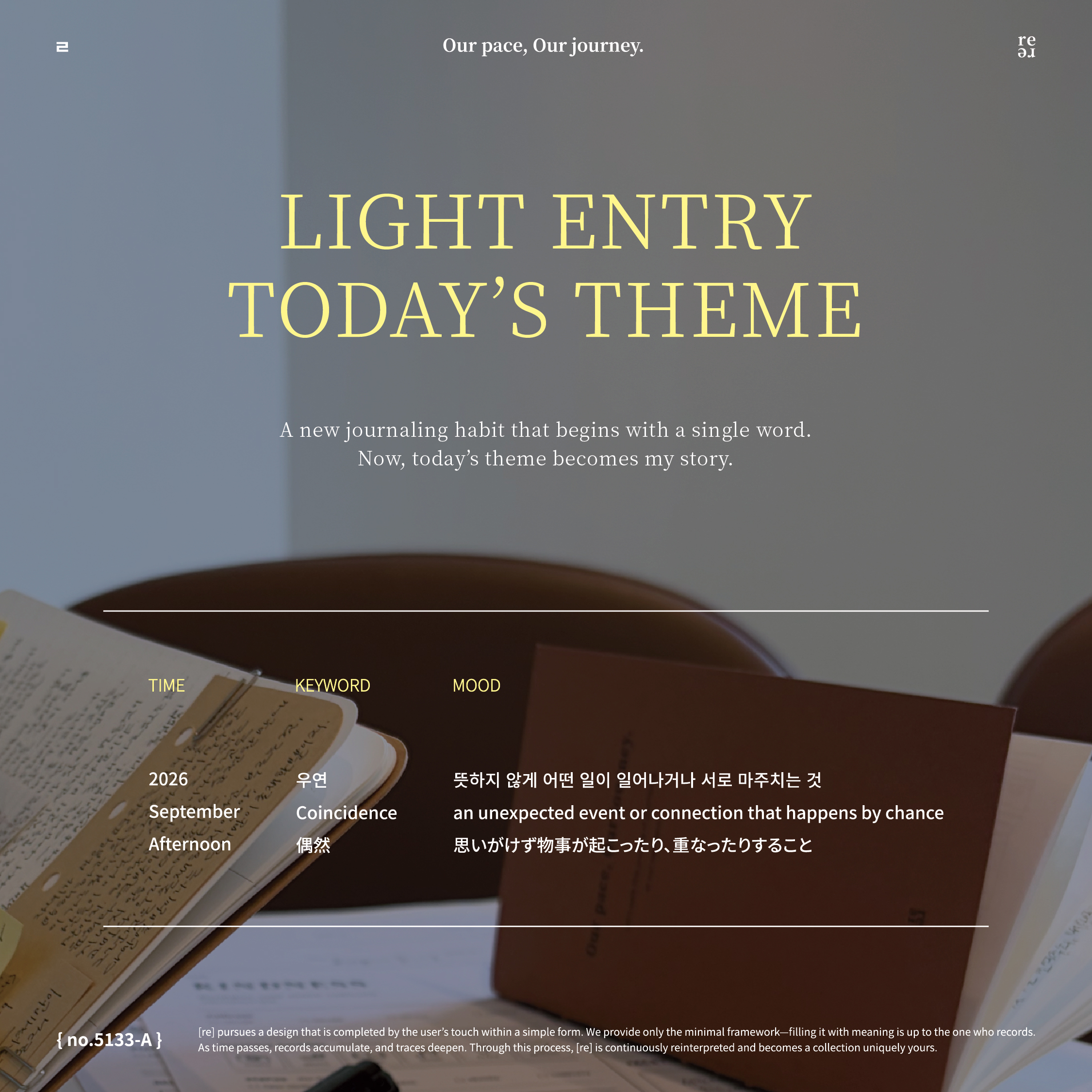
    Light Entry is a journaling prompt tool by no.5133 that begins with a single keyword and turns it into different directions for recording.

    For September 2026, the keyword is Coincidence.

    Explore 15 free journaling prompts for writing, mood logging, self-reflection, photo journaling, and questions. Use them in Goodnotes, a digital journal, a paper notebook, or wherever you already keep your records.

    There is no required order or daily schedule.

    Choose one prompt that fits the moment and begin with a single line or scene.

    September 2026 Journaling Prompts at a Glance

    ItemDetails
    KeywordCoincidence
    Prompts15
    Categories5
    Prompt typesFree Writing · Mood Log · Self-Reflection · Photo Log · Leave a Question
    FormatTXT
    ScheduleNo date restrictions
    Use withGoodnotes · Digital journals · Paper notebooks
    Free accessSeptember 2026
    Created byno.5133 — Light Entry

    What Is Light Entry?

    Light Entry is a journaling prompt tool by no.5133.

    Each month begins with a single keyword. From that word, Light Entry creates prompts for free writing, mood logging, self-reflection, photo journaling, and questions.

    It is designed to create starting points for moments when you want to keep a record but do not know what to write or notice.

    For September 2026, the keyword is Coincidence.

    A thought that suddenly comes to mind.

    A scene or a sentence you happen to encounter.

    An unexpected moment of free time or opportunity.

    September begins with the moments you didn’t plan for.

    15 Journaling Prompts From One Word: Coincidence

    This September prompt set includes 15 prompts across five different ways of recording, with three prompts in each category.

    Each category approaches the same keyword from a different direction.

    You do not need to use all of them. Choose the kind of record that fits what you notice today.

    1. Free Writing

    Begin with an unexpected thought, moment, or possibility and let it lead the writing.
    There is no required length. A single sentence can be enough.

    2. Mood Log

    Notice a small moment that changes the atmosphere of your day—a sound, a sentence, or something in the sky that you might otherwise pass by.

    3. Self-Reflection

    Look at how an unexpected event, opportunity, or someone’s words may have changed a choice, a thought, or the way you see yourself.

    4. Photo Log

    Use a photograph as the beginning of a record.
    A scene you happen to notice can become a record of what caught your attention that day.

    5. Leave a Question

    Not every question needs an immediate answer.
    Leave one for yourself and return to it from another point in time.

    Try 3 September Journaling Prompts

    Here are three prompts from this month’s Mood Log category.

    1. Write down a sentence from a book you happened to read that stayed with you.
    2. Pause for a moment in the afternoon and listen to a sound from nature that unexpectedly reaches you.
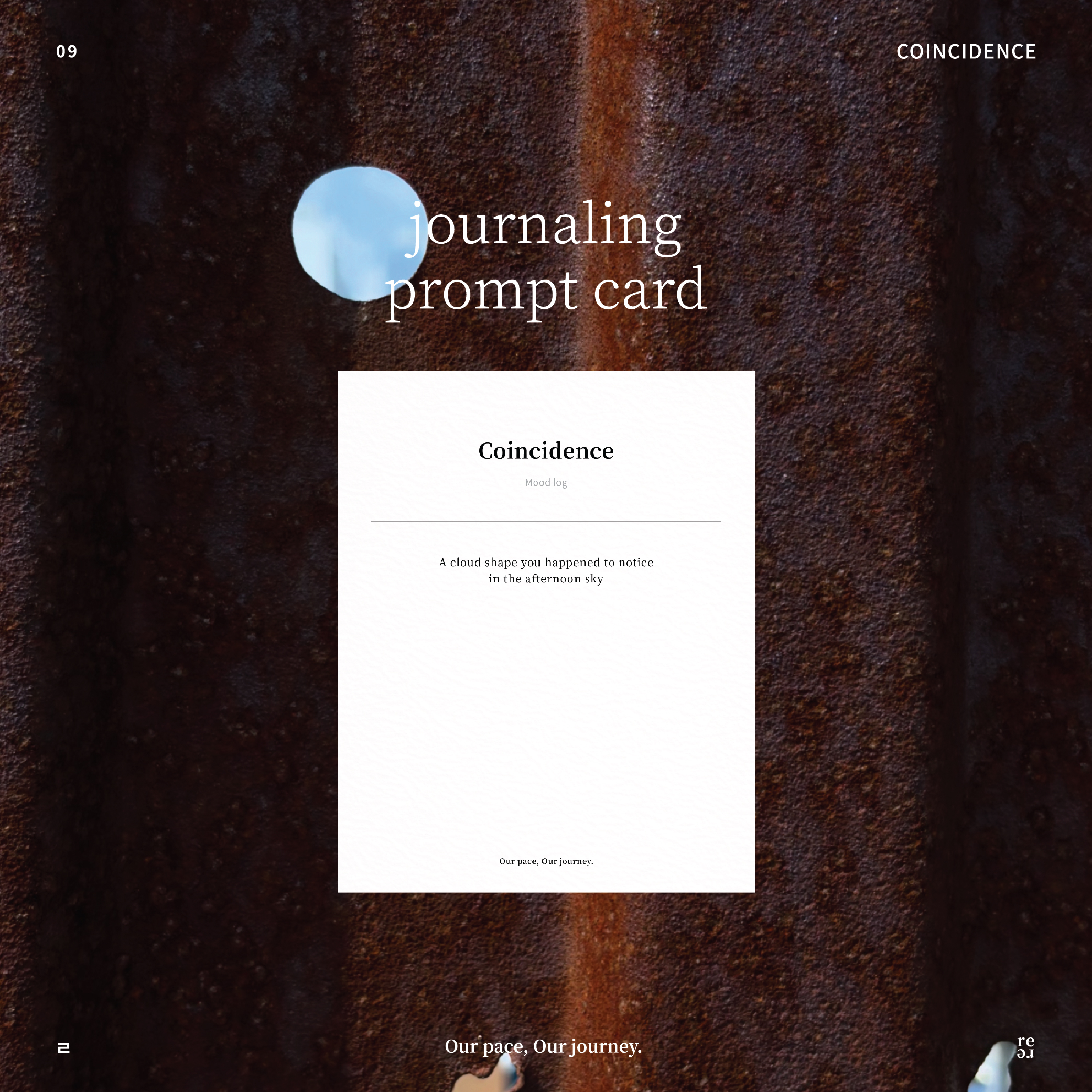
    3. Record the shape of a cloud you happen to notice in the afternoon sky.

    You can respond with a paragraph, a single line, a photograph, or a short note.

    There is no need to complete all 15 prompts or follow them in order.

    Choose one that makes you notice something.

    Free during September 2026 · TXT file · Email required for download

    How Can You Use These Journaling Prompts?

    You do not need a new journaling system to use these prompts.

    Take a prompt into whatever space you already use for recording.

    Use one when you do not know what to write. Leave another for later. Respond with a photograph instead of words when a scene feels more natural.

    The prompts can be used for daily journaling, mood logging, self-reflection, photo journaling, one-line entries, digital journaling, or personal memory keeping.

    These 15 prompts are not a 15-day journaling challenge.

    They are 15 different ways to begin a record.

    Can I Use These Journaling Prompts in Goodnotes?

    Yes.

    The September prompt download is a TXT file, not a Goodnotes template or PDF planner.

    You can use the prompts with an existing Goodnotes journal, digital planner, Notability notebook, or paper journal.

    There is no need to change the way you already keep records.

    Simply choose a prompt and bring it into your own recording space.

    Download 15 Free September 2026 Journaling Prompts

    The complete September set includes:

    • 3 Free Writing prompts
    • 3 Mood Log prompts
    • 3 Self-Reflection prompts
    • 3 Photo Log prompts
    • 3 Leave a Question prompts

    That is 15 journaling prompts in one TXT file.

    The September 2026 prompt set is available free during September. Once downloaded, you can use the prompts anytime—there is no date restriction on when you record with them.

    September 2026 · Keyword: Coincidence · 15 Prompts

    Continue the Record in Flowhere

    A prompt can help you begin. The record does not have to end there.

    In Flowhere, you can continue recording and let individual records accumulate over time.

    Leave what you notice now, save your records, and return to them later.

    As those records accumulate, your earlier records become a way to look back at who you are now.

    Start with what catches your attention today.

    Frequently Asked Questions

    Are the September 2026 journaling prompts free?

    Yes. The 15 September 2026 journaling prompts are available free during September in one TXT file.

    How many prompts are included?

    There are 15 prompts across five categories: Free Writing, Mood Log, Self-Reflection, Photo Log, and Leave a Question.

    Can I use the prompts in Goodnotes?

    Yes. The prompts are provided as a TXT file and can be used with your existing Goodnotes journal or digital planner. The file itself is not a Goodnotes template or PDF planner.

    Do I have to complete the prompts in order?

    No. There is no required order or daily schedule. Choose any prompt whenever you want to begin a record.

    What is the September 2026 keyword?

    The September 2026 keyword is Coincidence, a starting point for recording unexpected thoughts, scenes, opportunities, and everyday moments.

    Begin With What You Didn’t Expect

    A thought that suddenly comes to mind.

    A sentence you happen to read.

    A cloud you almost pass without noticing.

    A little free time you didn’t expect to have.

    A record does not always have to begin with something important.

    Sometimes, coincidence is enough.

    Start with one line or one scene.

    𝑶𝒖𝒓 𝒑𝒂𝒄𝒆, 𝑶𝒖𝒓 𝒋𝒐𝒖𝒓𝒏𝒆𝒚.

  • September 2026 Digital Monthly Planner in Flowhere — Reflection Monthly for Journaling & Goodnotes

    September 2026 Digital Monthly Planner in Flowhere — Reflection Monthly for Journaling & Goodnotes

    Looking for a monthly planner that you can use online and continue over time?

    Reflection Monthly in Flowhere is a digital monthly recording page where you can plan, journal, and keep the flow of a month on a single page.

    You can write directly in Flowhere, move between months and years, save your page, and export completed records as JPG or PDF files for use in Goodnotes or your personal archive.

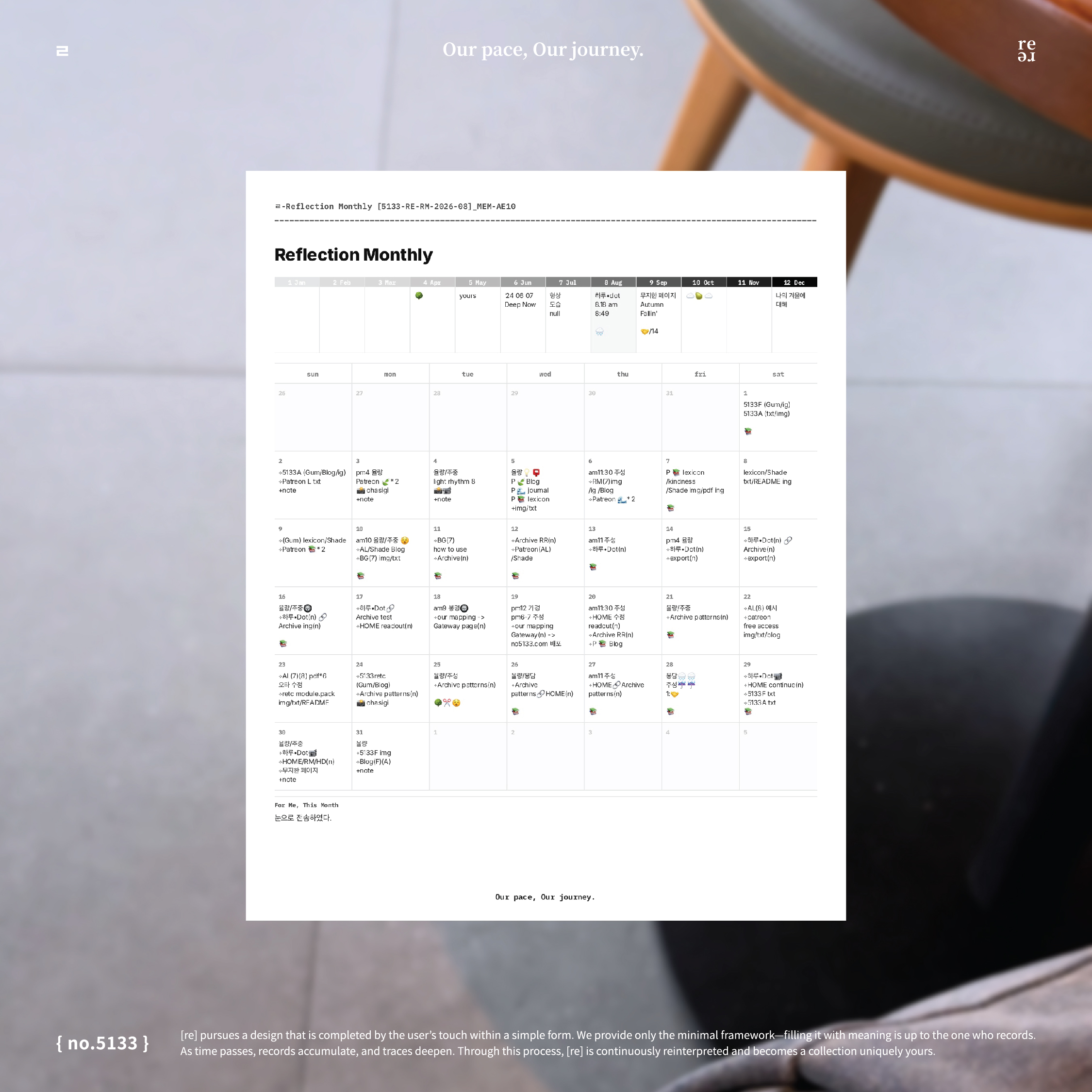
    This post shows a real Reflection Monthly record from August 2026 and how the same format continues into September.

    Rather than starting from a fixed journaling method, Reflection Monthly leaves the page open so that schedules, notes, emotions, projects, and small traces of daily life can exist together.

    September 2026 Reflection Monthly at a Glance

    ItemDetails
    FormatDigital monthly recording page
    Current monthSeptember 2026
    Main structure12-month Reflection Box + dated monthly grid
    Record onlineYes
    Move between months / yearsYes
    Save pageYes
    ExportJPG · PDF
    Goodnotes useExported PDF / JPG can be used in Goodnotes
    ArchiveRecords can continue into Flowhere Archive
    Long-term viewSame-month records can become a five-year mirror

    What Is Reflection Monthly?

    Reflection Monthly is a one-page monthly record designed for both planning and reflection.

    It can hold schedules, thoughts, emotions, notes, project traces, photos, and small pieces of everyday life without requiring every part of the page to follow the same method.

    You can use one day for an appointment, another for a short sentence, and leave another completely empty.

    The point is not to complete every box.

    The page simply becomes a record of what the month looked like from where you were at that time.

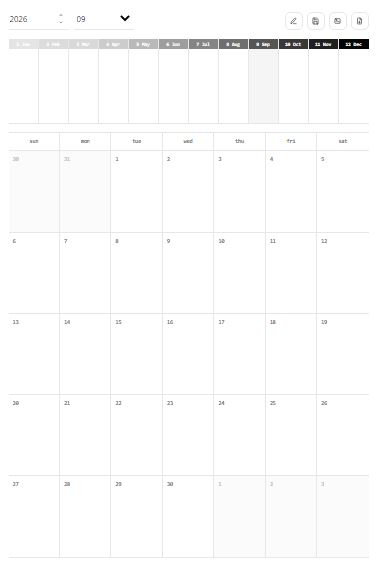
    Blank September 2026 Reflection Monthly page in Flowhere with a 12-month Reflection Box and dated monthly grid

    1. See 12 Months From Where You Are Now — Reflection Box

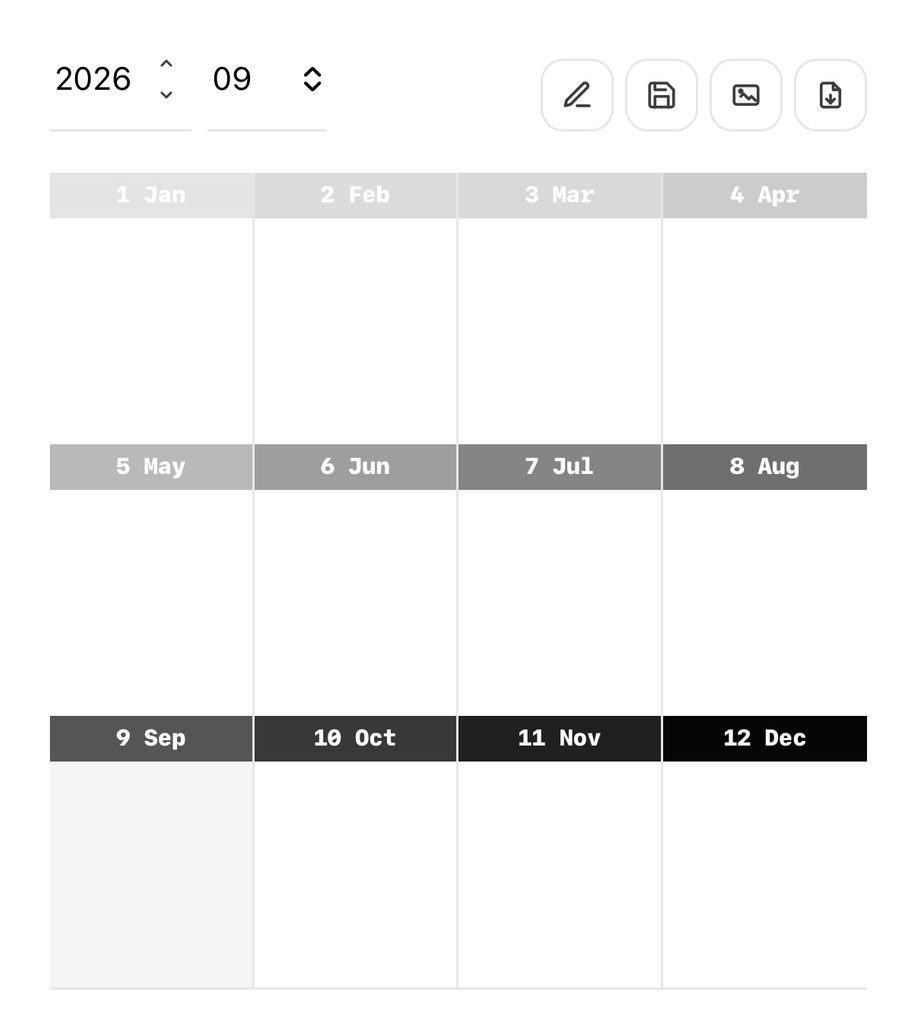
    At the top of the page is the 12-month Reflection Box.

    It is not designed simply to summarize an entire year.
    Instead, it lets you look at the months that have already passed and the months still ahead from the month you are currently in.

    A word, a short sentence, a date, a feeling, or even a small mark is enough.

    An August Reflection Box and a September Reflection Box may contain different impressions of the same year because your point of view has changed.

    Over time, these small notes become a record of how your perspective on the year shifts.

    September 2026 Reflection Box in Flowhere showing all 12 months from the current month

    Plan, Journal, and Record on One Monthly Grid

    The dated monthly grid below the Reflection Box is intentionally open.

    You can use it for:

    • Schedules
    • Daily notes
    • Mood records
    • Short journal entries
    • Project tracking
    • Monthly reflections

    There is no requirement to use every day in the same way.

    Some days may contain several notes, while others may remain empty.

    The result is not only a planner. It becomes a visual record of the rhythm of the month.

    Can I Use Reflection Monthly With Goodnotes?

    Yes.


    Reflection Monthly is designed to work both as a web-based monthly record and as a page you can keep outside Flowhere.

    After recording in Flowhere, completed pages can be saved as JPG or PDF files.

    You can then keep the exported PDF in Goodnotes, add it to another digital notebook, or save the JPG as part of your personal archive.

    This means you do not have to choose between web journaling and keeping your own files.

    You can record online first and export the pages you want to keep.

    Prefer to start with a blank downloadable version?
    Download the Free September 2026 Reflection Monthly PDF

    What Can You Do With Reflection Monthly in Flowhere?

    In Flowhere, Reflection Monthly lets you:

    • Move between months and years
    • Record directly on the monthly page
    • Save a page while you are working
    • Download completed pages as JPG
    • Download completed pages as PDF
    • Return to earlier monthly records
    • Keep records connected through the archive
    • Revisit the same month across years

    A downloaded monthly planner usually ends when the file is completed.

    In Flowhere, the page can remain part of a longer record.

    You can return to an earlier month, look at what was left there, and continue building a personal archive over time.

    From One Month to a Five-Year Mirror

    A Reflection Monthly page is not designed to disappear after the month ends.

    When September records accumulate across different years, the same month can eventually be viewed from different points in your life.


    September 2026.

    September 2027.

    September 2028.


    The calendar month stays the same, but the person looking through it changes.

    In the Flowhere Archive, these same-month records can become a five-year mirror—a way to encounter your earlier self from where you are now.

    The purpose is not simply to compare numbers or productivity.

    It is to look back through previous records and notice what remained, what changed, and what you see differently now.

    A Real Reflection Monthly Record From August 2026

    The August record shown in this post contains schedules, short notes, project traces, reminders, and small marks across a single month.

    Not every day is filled in the same way.

    That unevenness is part of the record.

    Reflection Monthly does not ask each month to become a perfectly organized planner page.
    It leaves enough structure to hold the month while allowing the way you use it to change.

    September can look completely different.

    Start Your September 2026 Reflection Monthly

    September is already moving.

    You can begin with what is happening now rather than trying to reconstruct every day from the beginning of the month.

    Open the current September page, leave the records that matter to you, and let the rest remain open.

    As the months continue, those pages can become something you return to—not only to remember what happened, but to look again at who you were then.

    Record online, save the pages you want, and continue the same month across time.

    One Month, Seen From Where You Are Now

    Reflection Monthly begins with one month on one page.

    But as those pages accumulate, they become more than monthly planners.

    They become different views of the same life, left at different points in time.

    See the year from where you are now.

    𝑶𝒖𝒓 𝒑𝒂𝒄𝒆, 𝑶𝒖𝒓 𝒋𝒐𝒖𝒓𝒏𝒆𝒚.

  • Free September 2026 Monthly Planner PDF for Goodnotes — Reflection Monthly [no.5133-F]

    Free September 2026 Monthly Planner PDF for Goodnotes — Reflection Monthly [no.5133-F]

    Looking for a free September 2026 monthly planner PDF for Goodnotes?

    Reflection Monthly is a one-page A4 planner designed for both planning and reflection. It combines a dated September monthly grid with a 12-month Reflection Box, giving you space to keep schedules, notes, emotions, and the flow of the year on a single page.

    The September 2026 edition is available free during September only and can be used in Goodnotes, Notability, other PDF annotation apps, or printed on A4 paper.

    September 2026 Reflection Monthly at a Glance

    FormatA4 PDF · 1 page
    MonthSeptember 2026
    CalendarDated monthly grid
    Week startsSunday
    Top section12-month Reflection Box
    Compatible withGoodnotes, Notability, PDF annotation apps
    PrintableYes
    AvailabilityFree during September 2026

    What Is Reflection Monthly?

    Reflection Monthly is not only a monthly planner.

    It is designed around a simple idea: the way you see the same year changes depending on where you are now.

    At the top of the page, the 12-month Reflection Box lets you look at the months that have already passed and the months still ahead from your current point in time.

    You might remember May differently in September than you did in May.
    December may feel different when you imagine it now than when you eventually arrive there.

    A word, a short sentence, a mark, or a feeling is enough.

    The goal is not to organize the entire year perfectly. It is to leave a small record of how the year looks from your present self.

    1. The 12-Month Reflection Box

    The upper section contains all twelve months of the year.

    Use each box to leave a brief note about what that month means to you right now. You can write about a memory, a mood, something you expect, something that changed, or simply a word that remains with you.

    You do not need to complete every month.

    The empty spaces can remain empty, and what you write can change later.

    Over time, the Reflection Box becomes a small record of how your perspective on the year shifts.

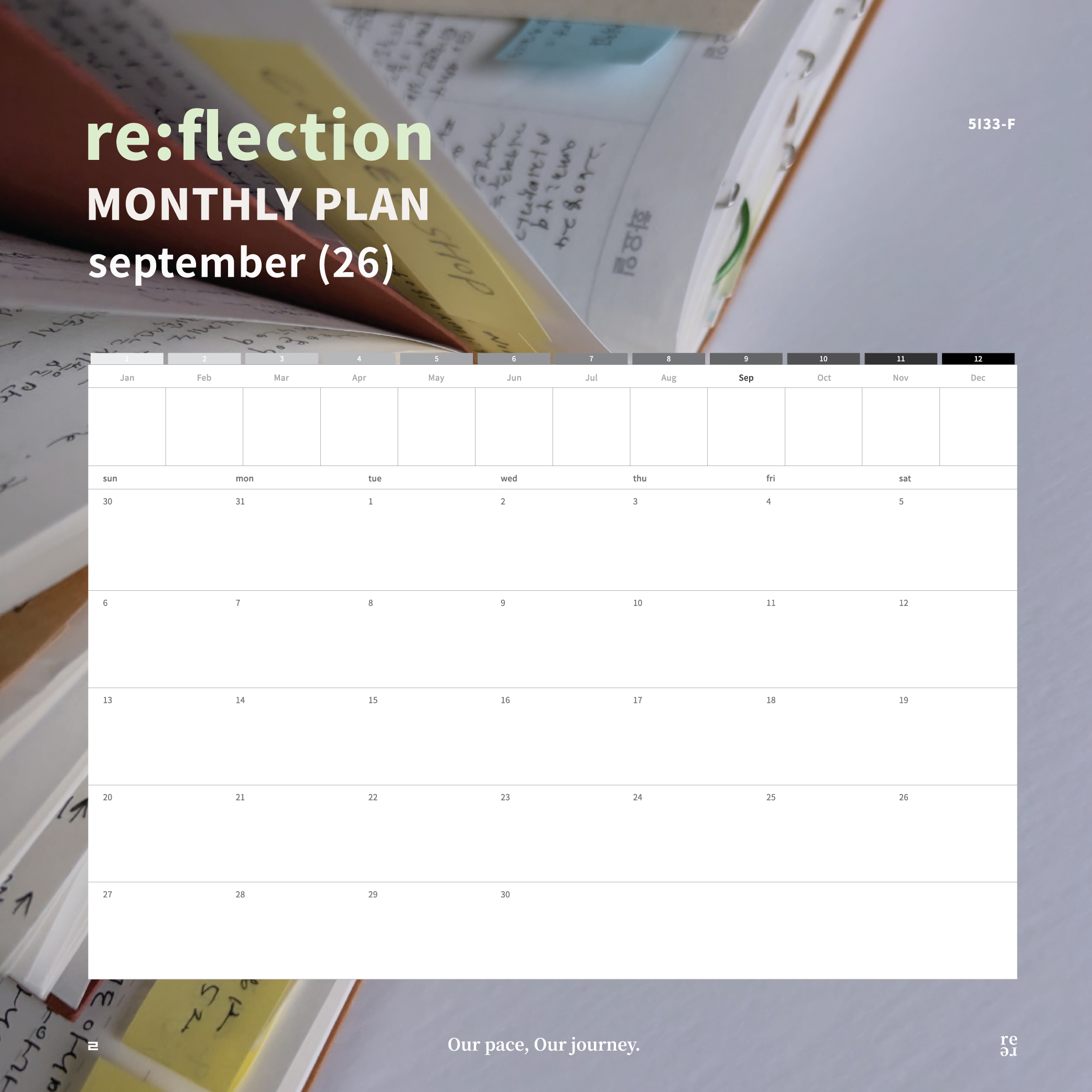
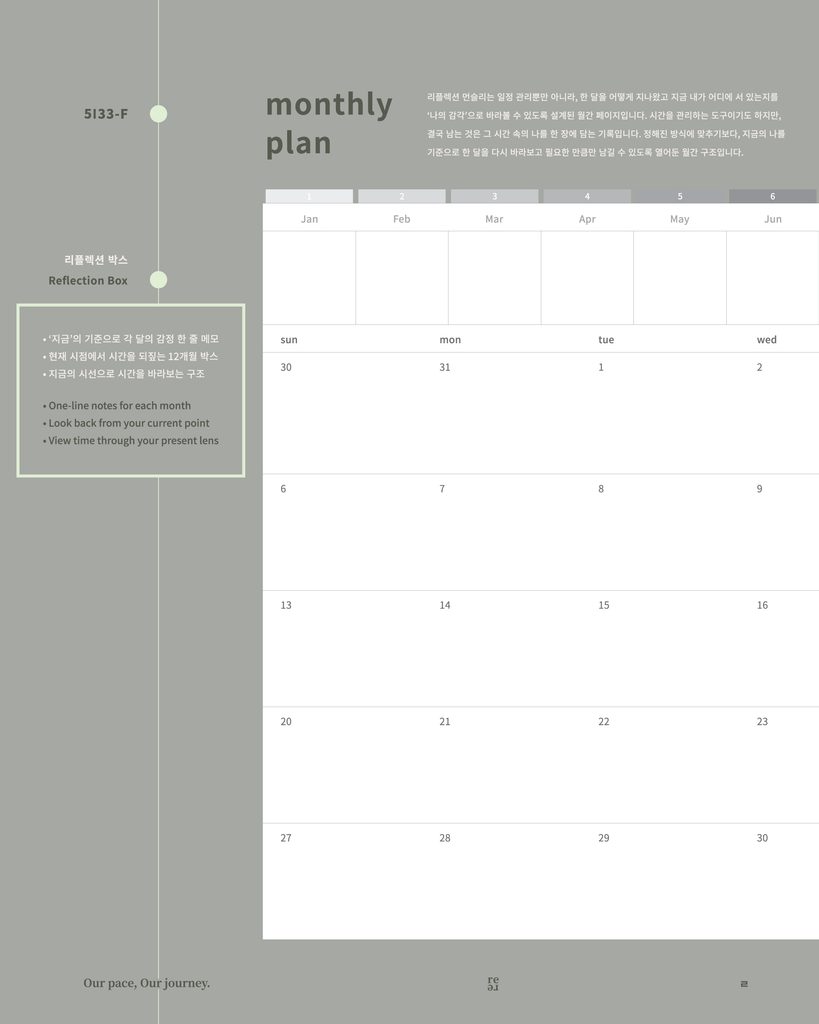
    September 2026 Reflection Monthly planner layout showing the 12-month Reflection Box and open dated monthly grid

    2. September 2026 Monthly Grid

    The lower section is an open September 2026 dated monthly planner.

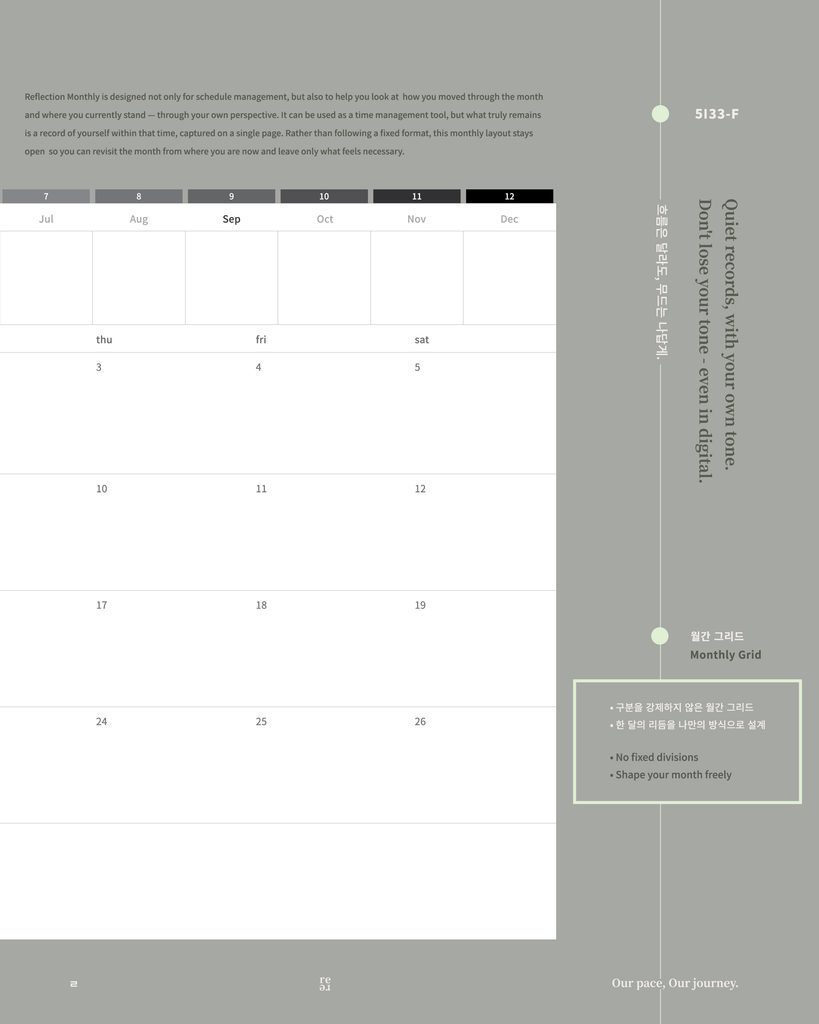
    There is no fixed journaling method built into the grid, so it can move between planning and recording depending on what you need.

    You can use it for daily notes, schedules, short journal entries, weekly reflections, mood records, or a simple overview of the month.

    Instead of separating planning from journaling, Reflection Monthly gives both a place on the same page.

    September 2026 Reflection Monthly layout showing the open dated monthly grid and flexible journaling structure

    A Monthly Planner That Can Change With You

    Some months may be filled with appointments.

    Others may hold mostly words, small observations, or empty spaces.

    Reflection Monthly is intentionally left open so that the page does not decide what September should look like before you live it.

    Use the monthly grid as a planner when you need structure, and as a journal when you want to keep what happened.

    The page can change as your month changes.

    Download the Free September 2026 PDF

    The September edition of Reflection Monthly is available free throughout September 2026.

    No membership is required. Enter your email address on Gumroad to access the download.

    The download includes the one-page A4 PDF for personal use.

    Commercial use, resale, and redistribution are not permitted.

    Continue Reflection Monthly in Flowhere

    Reflection Monthly is also available as a recording page in Flowhere.

    Instead of working with only one downloaded PDF, you can move between months and years, return to earlier months, prepare upcoming months, and keep your Reflection Monthly pages together over time.

    Completed pages can also be saved as JPG or PDF files.

    As the records accumulate, the same month can be seen again from a later point in your life—turning an earlier reflection into a mirror for your present self.

    One Page for Where You Are Now

    Reflection Monthly does not ask you to summarize a month perfectly.

    It simply leaves a place for the way the year looks from where you are now.

    A single page that holds who you are right now.

    𝑶𝒖𝒓 𝒑𝒂𝒄𝒆, 𝑶𝒖𝒓 𝒋𝒐𝒖𝒓𝒏𝒆𝒚.