Looking for a way to record a month with photos instead of filling a planner with long entries?
BOM Grid in Flowhere is a digital monthly photo journal that lets you place photos directly into the dated spaces of a monthly calendar and see the month as one visual grid.
You can record online, move between months and years, save your page, and export the finished grid as PNG, JPG, or PDF for GoodNotes or your own files.
You do not need to add a photo every day. The images you keep—and the spaces you leave open—become part of what that month looked like.
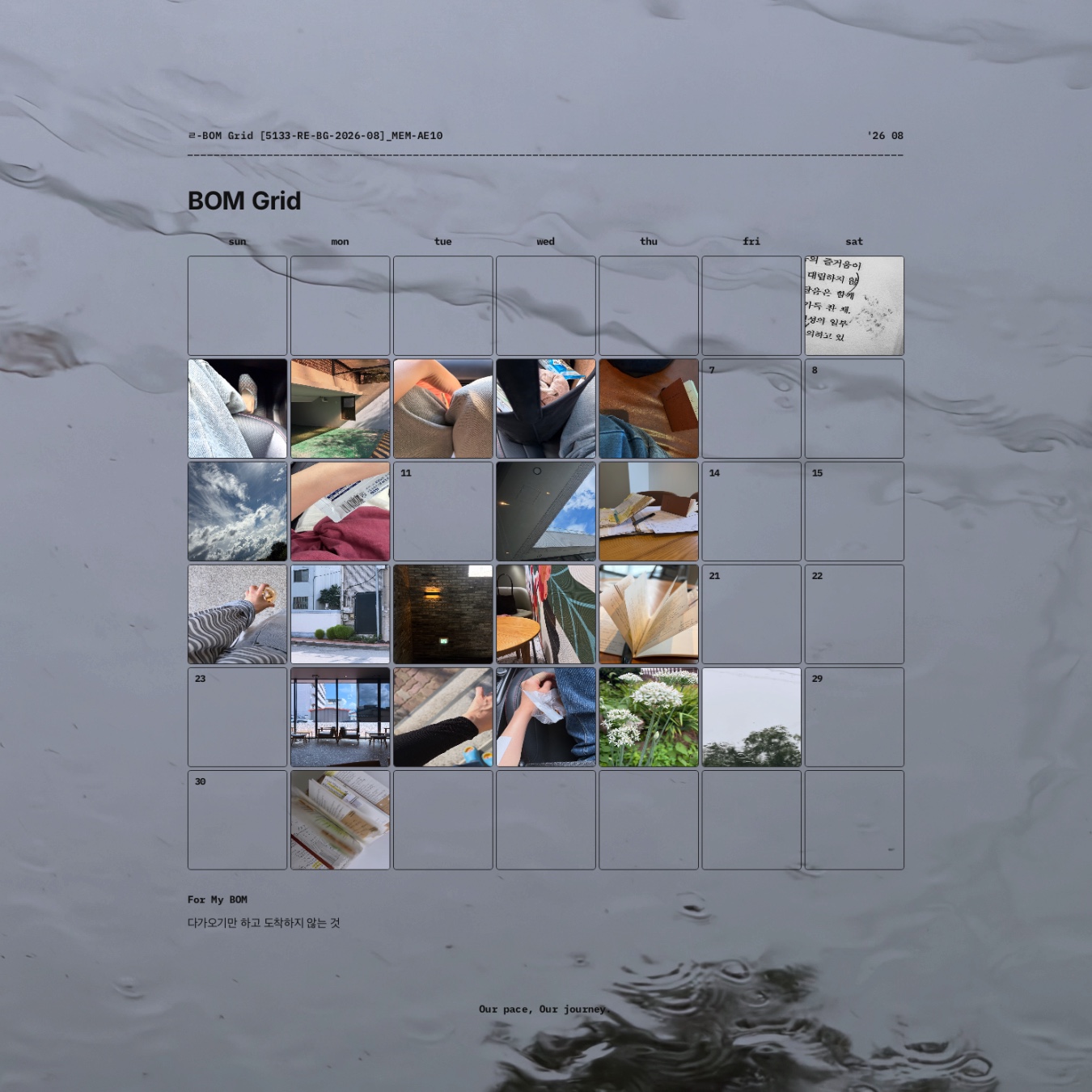
The featured image shows my actual August 2026 BOM Grid after a month of use.
This post looks at how the same format continues into September and how individual photos can gradually become one visual record of a month.
September 2026 BOM Grid at a Glance
| Item | Details |
| Format | Digital monthly photo journal |
| Current month | September 2026 |
| Main record | Photos placed by date |
| One-line record | For My BOM |
| Move between months / years | Yes |
| Save page | Yes |
| Export | PNG · JPG · PDF |
| Transparent PNG | Yes |
| GoodNotes use | Exported JPG / PDF can be kept in GoodNotes |
| Blank layout | Download available |
| Archive | Photo records can continue into Flowhere Archive |
What Is BOM Grid?
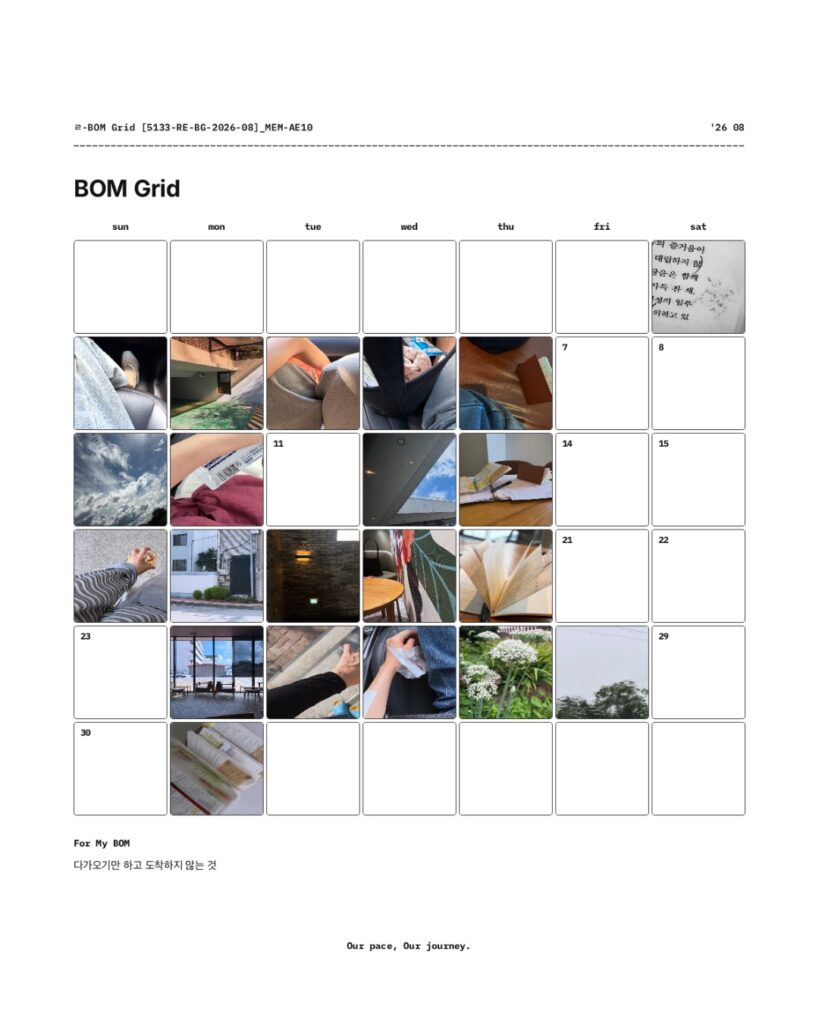
BOM Grid is a dated monthly page for recording a month through photographs.
Each date can hold an image you want to remember from that day—a sky, a familiar place, a book, a drink, a person, a patch of light, or anything else that caught your attention.
You do not have to fill every date.
Unlike a photo album, where images are usually viewed one at a time, BOM Grid keeps the month together on a single page.
As photos accumulate across the calendar, you can begin to see the month as a whole rather than as a series of separate images.
One Photo at a Time, One Month at a Glance
A traditional monthly planner usually centers on schedules, tasks, and written notes.
BOM Grid starts with photographs instead.
One day might hold a photograph of the sky.
Another might show a place you returned to, something you were reading, or a small moment you wanted to keep.
Some dates may remain empty.
That does not make the record incomplete.
When the month is viewed as a grid, the photographs and the open spaces together show the rhythm of what you chose to notice and keep.
For anyone who enjoys journaling but does not always want to write a full entry, one image can be enough to mark a day.
For My BOM — One Line Beneath the Month
Below the photo grid is For My BOM, a small space for one line of text.
You can use it for a sentence you want to remember, a word that represents the month, or a short thought that belongs with the photographs above it.
The photographs hold the individual scenes.
For My BOM gives you one place to leave a line for the month as a whole.
It does not need to summarize everything.
Sometimes one sentence is enough.
Can I Use BOM Grid With GoodNotes?
Yes.
BOM Grid is recorded in Flowhere, but the finished page can also be taken outside the web app.
You can export your record as:
- PNG
- JPG
A PDF can be kept in GoodNotes as part of a digital journal, while a JPG can be saved with your other photo records.
This means you can use Flowhere to build the monthly grid and still keep the finished page in the digital notebook or file system you already use.
Use a Transparent PNG on Your Own Background
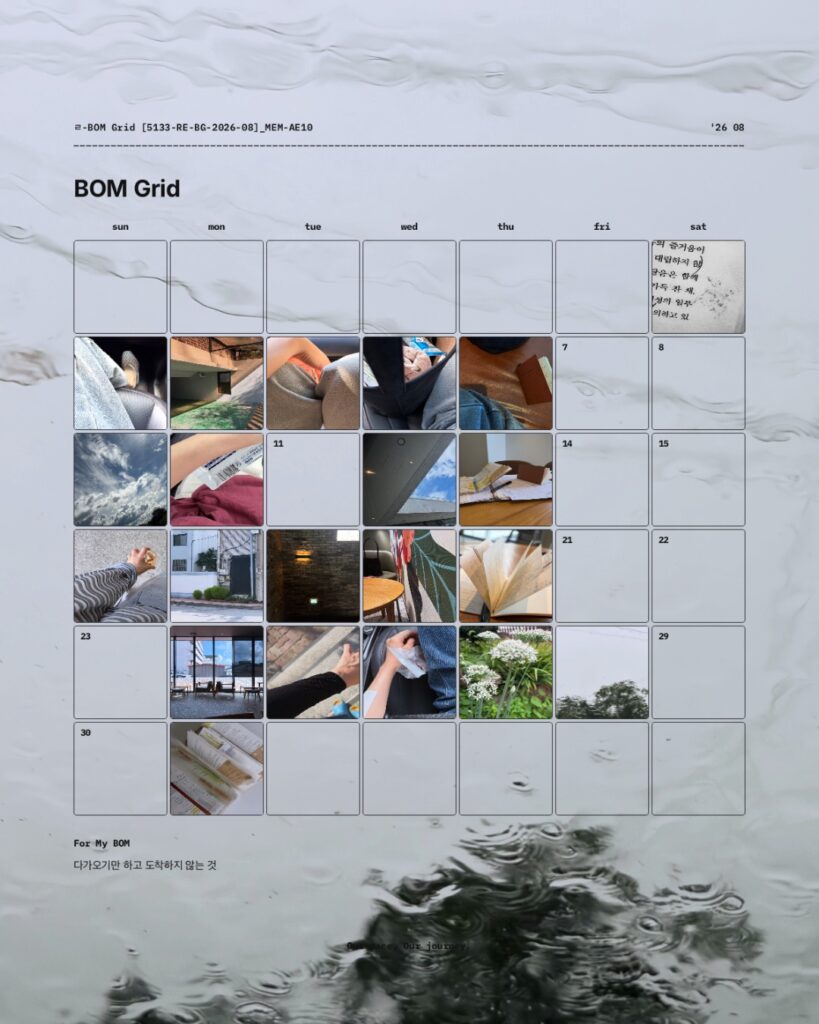
BOM Grid can also be exported as a transparent PNG.
Because the background is removed, you can place the completed monthly grid over your own photograph, texture, illustration, or other visual background.
The same monthly record can therefore be kept as a clean grid or recomposed as a more personal visual page.
What Happens to the Photos After the Month Ends?
A BOM Grid does not have to become a finished image that you never look at again.
Records saved in Flowhere can continue into the Archive.
Over time, an ordinary photograph can become meaningful for a different reason.
A place you passed every day may later bring back a particular period of your life.
A photograph that felt unimportant at the time may return with the atmosphere of a season.
And as monthly photo records accumulate, you can return to the scenes you chose to keep rather than searching through an entire camera roll.
The photograph stays the same.
What it brings back can change with time.
A Real BOM Grid From August 2026
The August 2026 record shown in the featured image lets you see what BOM Grid looks like after a month of actual use rather than as an empty template.
The point is not to create a perfectly filled calendar.
It is to keep the photographs you chose connected to their dates and to one another.
Viewed together, those individual photographs become one visual record of August.
September does not need to look the same.
A different month can hold different scenes, a different number of photographs, and a different rhythm.
Prefer a Writing-Based Monthly Journal?
If you want to record schedules, notes, project traces, and reflections rather than make photographs the main record, Reflection Monthly offers a different way to keep the month in Flowhere.
→ Explore September 2026 Reflection Monthly in Flowhere
Start Your September 2026 BOM Grid
You do not need to wait until you have a complete month of photographs.
Start with one scene from September.
Add another when something is worth keeping.
Let the grid take shape as the month continues.
One month of scenes. One grid to return to.
𝑶𝒖𝒓 𝒑𝒂𝒄𝒆, 𝑶𝒖𝒓 𝒋𝒐𝒖𝒓𝒏𝒆𝒚.
Comments
One response to “Monthly Photo Journal for September 2026 — BOM Grid in Flowhere [no.5133]”
[…] → Explore BOM Grid — A Monthly Photo Journal in Flowhere […]