Not every day needs a full journal entry.
Sometimes one dot is enough.
Flowhere’s 하루·Dot is a simple daily tracker that lets you place one dot on a 1–5 scale and see how those dots form a line over time.
You decide what the dot represents—mood, energy, focus, work, physical condition, or something else you want to keep noticing.
You can record in 0.5 steps, view your records across 1 month, 3 months, 6 months, or 1 year, and export the page as PNG, JPG, or PDF.
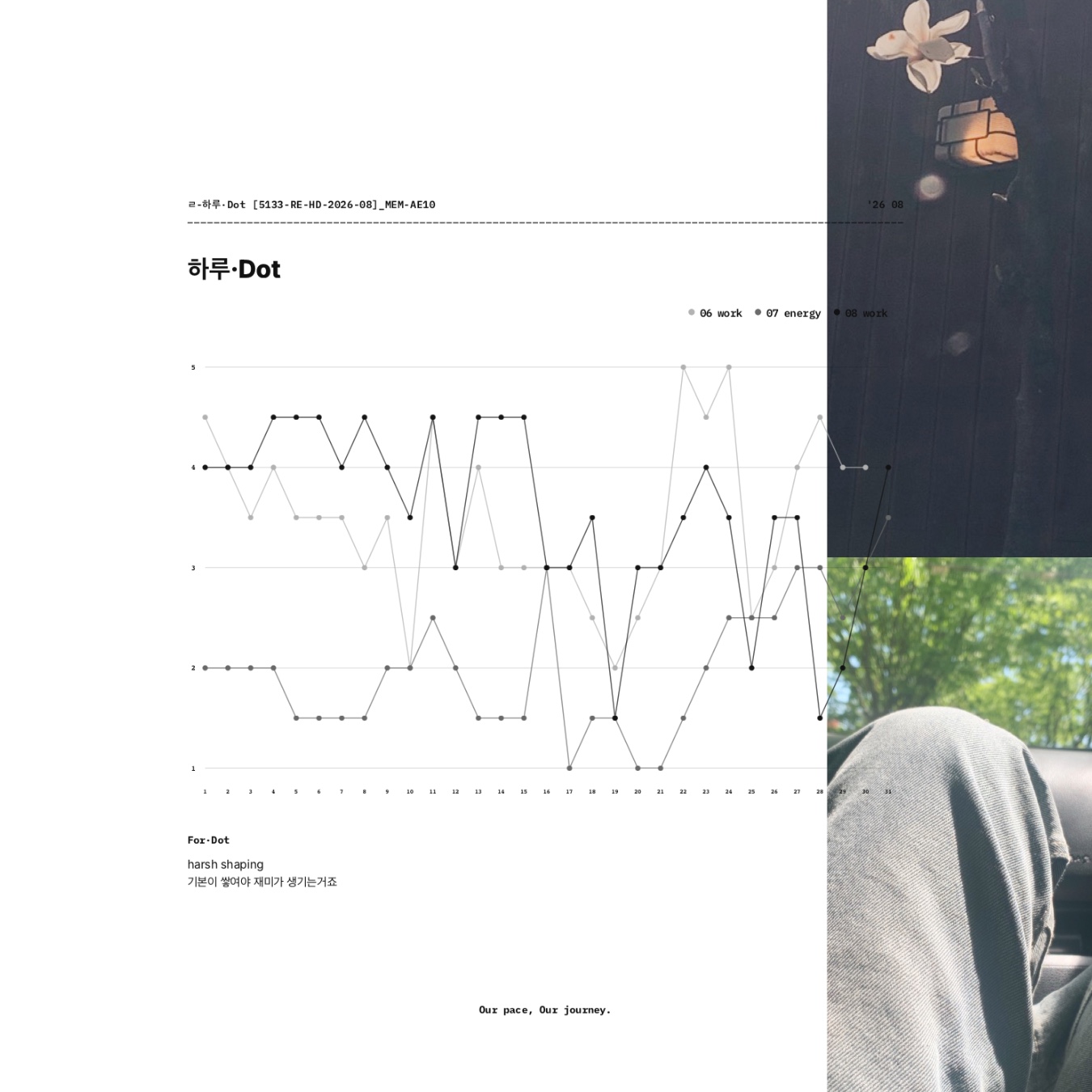
The images in this post show my actual 2026 records as they appear across the 1M, 3M, 6M, and 1Y views.
하루·Dot at a Glance
| Item | Details |
| Daily record | One dot |
| Scale | 1–5 |
| Precision | 0.5 steps available |
| Input | Tap or drag |
| Lens | Choose what you want to track |
| Views | 1M · 3M · 6M · 1Y |
| Short note | For·Dot |
| Save page | Yes |
| Export | PNG · JPG · PDF |
| Goodnotes use | Export and continue with notes or handwriting |
| Archive | Records can continue in Flowhere |
One Dot a Day
하루·Dot starts with a very small action: decide where today sits on your own 1–5 scale and leave one dot.
You can use whole numbers or record in 0.5 steps when you want a little more precision.
One dot does not need to explain the whole day.
Its meaning comes from the Lens you choose and from the other dots that gather around it over time.
In the August 2026 view shown below, the Lens is work.
The individual scores move up and down across the recorded days. Seen together, they begin to form a visual flow rather than a series of isolated ratings.
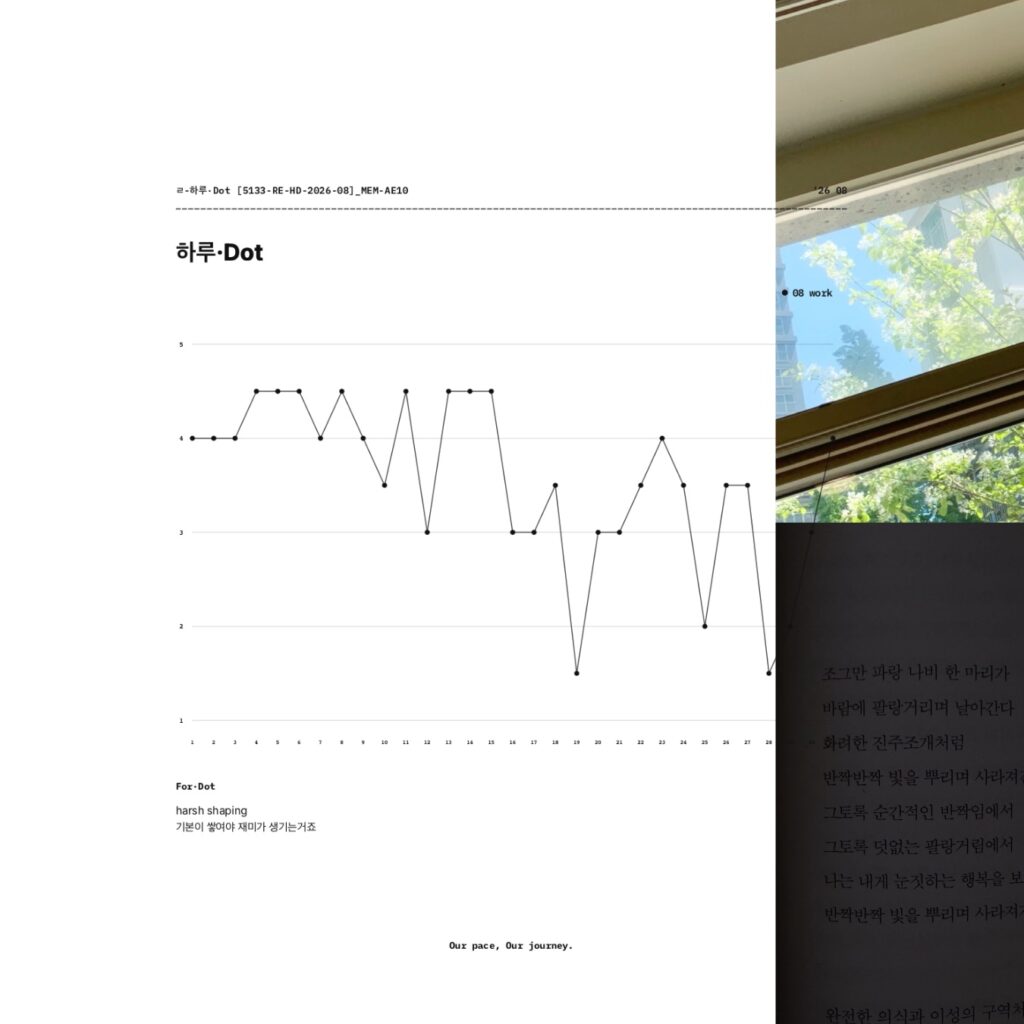
As more dots accumulate, a single score becomes easier to see as part of a larger record.
From One Month to a Longer View
하루·Dot lets you change the time range without changing the way you record.
The same dot-based records can be viewed across 1M, 3M, 6M, or 1Y.
3M — See Recent Records Together
The 3-month view brings recent records into the same graph.
In the Featured Image, June work, July energy, and August work appear together.
Instead of summarizing each period in a long written entry, you can see several recent records within one view and notice how their lines sit alongside one another.
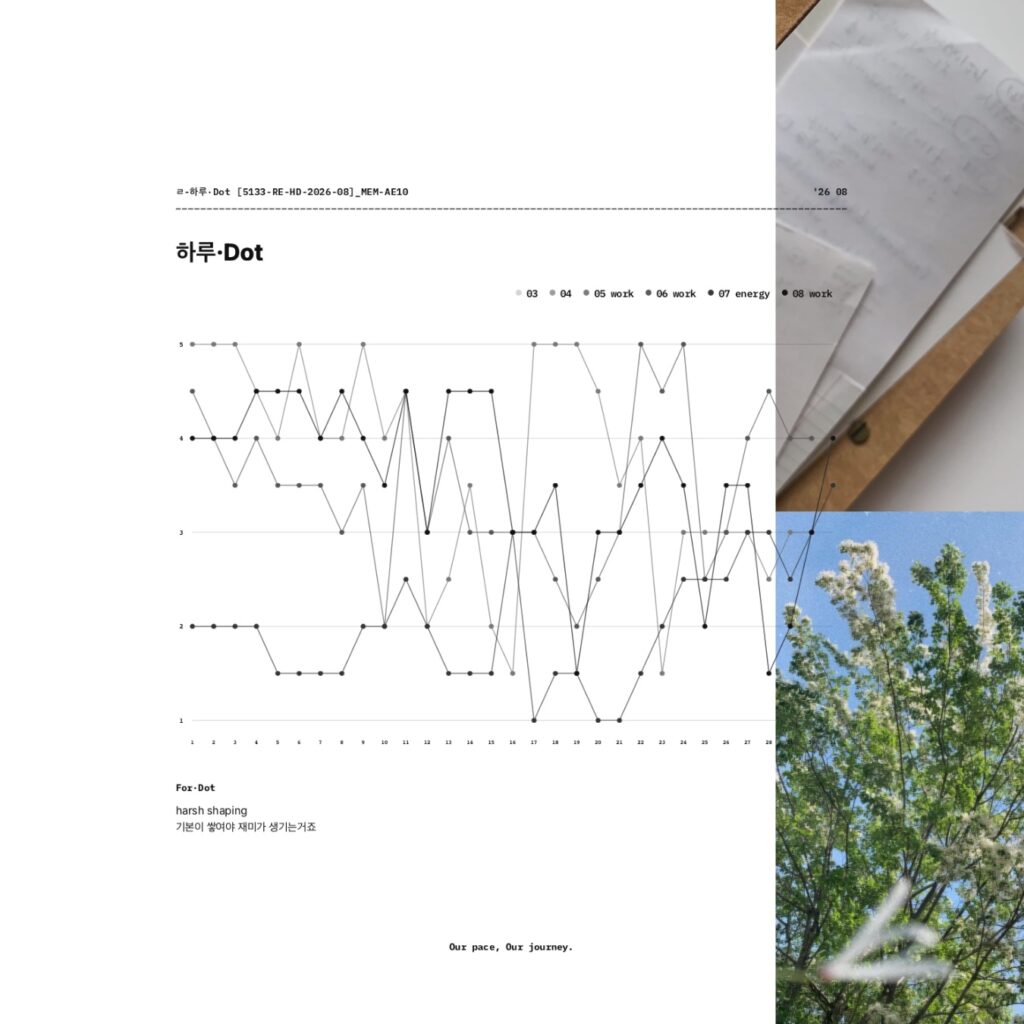
6M — Widen the Frame
The 6-month view places the available records within a wider time frame.
This makes it easier to step back from individual days and see how separate entries relate across months.
1Y — See the Record in a Full-Year Frame
The 1-year view gives you the widest frame available in 하루·Dot.
By placing the record within a January-to-December layout, it becomes easier to look beyond individual days and see the overall shape of what has been recorded.
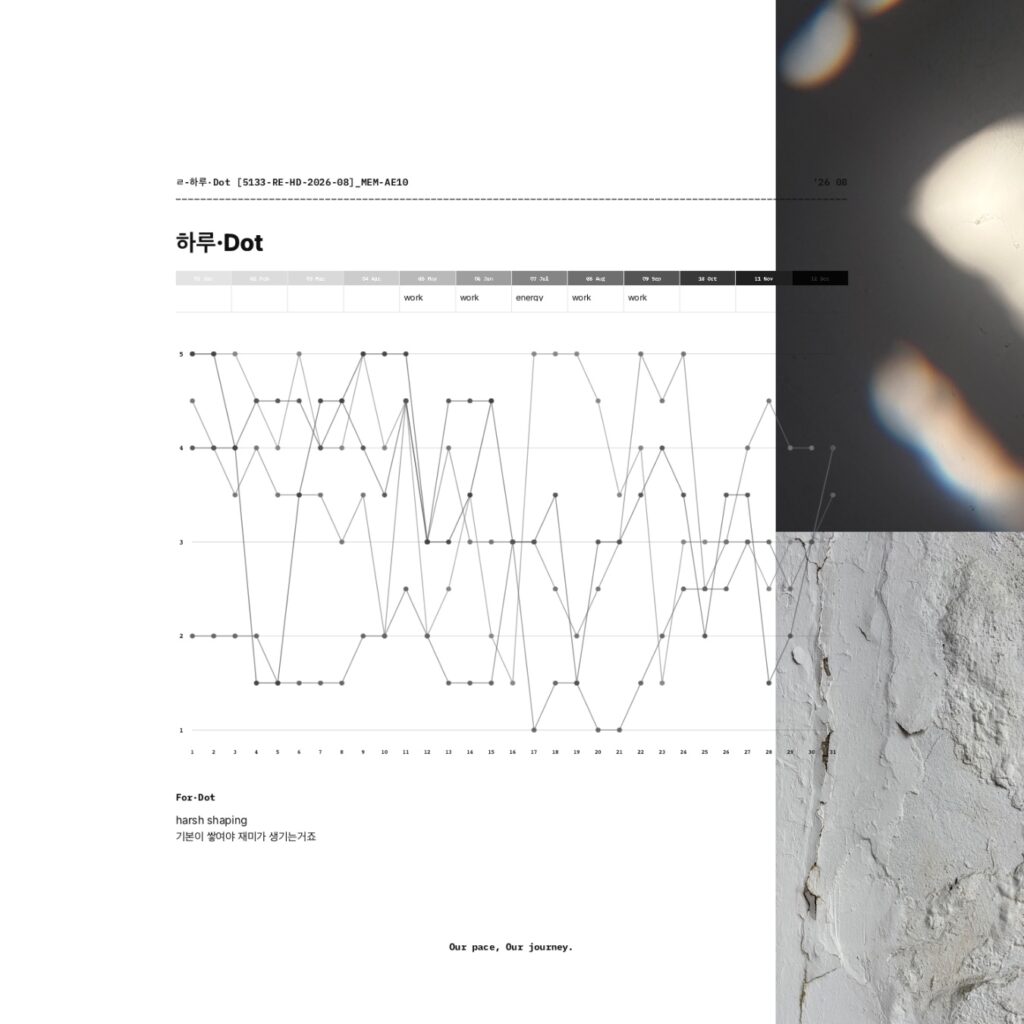
하루·Dot does not decide what those lines mean for you.
It gives you a way to look at what you have recorded and notice what stands out from where you are now.
Choose What the Dot Means
There is no single required meaning for a 하루·Dot score.
The Lens is the part you choose.
For example, you might track:
- Mood
- Energy
- Focus
- Physical condition
- Work
Something specific to your own routine
The point is not to find the “right” thing to measure.
Choose something you want to keep noticing.
A mood Lens can work as a lightweight mood journal.
An energy Lens can show how your perceived energy changes from day to day.
A work Lens can leave a simple record of how work felt during a particular period.
The scale remains simple. The meaning comes from the Lens you give it.
For·Dot — Add a Little Context
Below the graph is For·Dot, a space for a short line of text.
You can leave a word, sentence, or small note when a dot alone is not enough for what you want to remember.
The graph keeps the flow visible.
For·Dot adds a little context beside it.
Can I Use 하루·Dot With Goodnotes?
Yes.
하루·Dot is recorded in Flowhere, but you can export the page whenever you want as:
- PNG
- JPG
You might record part of a month in Flowhere, export that view to Goodnotes, and continue by adding handwriting, notes, or other material there.
Or you can keep adding dots in Flowhere and export particular 1M, 3M, 6M, or 1Y views whenever you want to keep one elsewhere.
Flowhere and Goodnotes do not have to be separate workflows.
You can let the dot record continue to develop in Flowhere and bring any view into Goodnotes whenever that fits the way you want to journal.
Prefer to Record the Month With Photos?
If numbers and lines are not how you want to remember a month, BOM Grid offers another visual approach in Flowhere.
Instead of giving the day a score, you leave photographs by date and let the month build into one photo grid.
→ Explore BOM Grid — A Monthly Photo Journal in Flowhere
Start With Today’s Dot
You do not need to explain the whole day.
Choose what you want to keep noticing.
Decide where today sits on your scale.
Leave one dot.
Tomorrow can be another.
As the record grows, you can step back and see the flow taking shape.
One dot a day. A flow over time.
𝑶𝒖𝒓 𝒑𝒂𝒄𝒆, 𝑶𝒖𝒓 𝒋𝒐𝒖𝒓𝒏𝒆𝒚.